Hybrid and Post-Quantum Computing
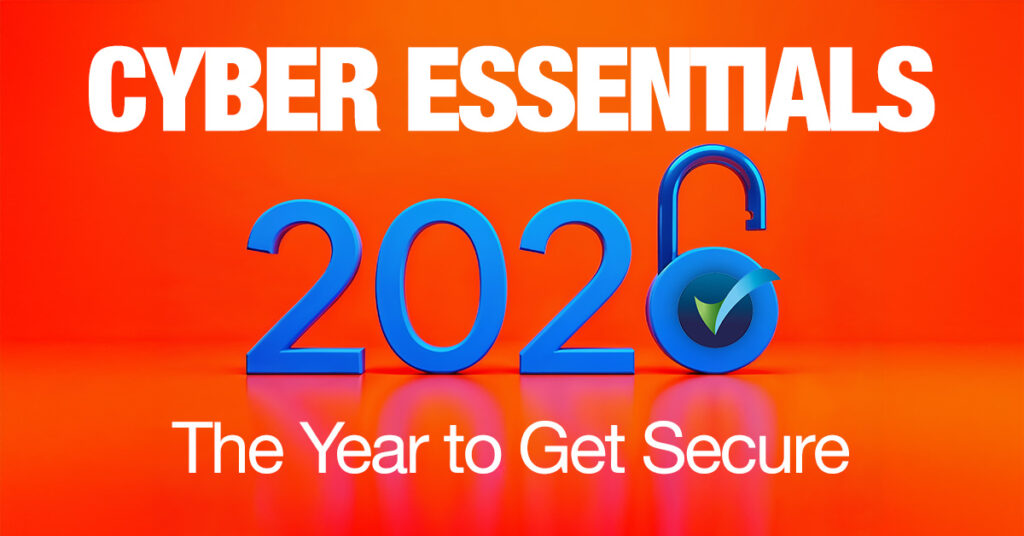
Cyber Essentials 2026: The Year to Get Secure
Security is now a business hygiene requirement. In a landscape of industrialised attacks, AI‑powered phishing, and rampant misconfiguration, the UK baseline—Cyber Essentials—has moved from “good idea” to minimum expectation. If you run Microsoft 365, Windows 11, or macOS Tahoe, Sequoia or Sonoma, you already own most of the technology; the gap is making configuration, access, patching, policies, and evidence work together, continuously. That’s where Asygma steps in.
Why 2026?
It’s the first full year post‑Windows 10, with accelerated cloud adoption and tightening insurer/procurement expectations. Cyber Essentials is not just security—it’s credibility, resilience, and speed.
AI Cybercrime: The Tempo Differential
A report from Techwire Asia reports that AI-driven attack agents now operate at machine speed—probing, adapting, and exploiting misconfigurations faster than human teams can respond. In 2026, this tempo differential means reactive security is obsolete. Cyber Essentials provides a structured baseline, but automation and continuous compliance are now essential to keep pace with AI-powered threats.
The journey: from uncertainty to audit‑ready confidence
Step 1 — See your current risk clearly
Most breaches don’t use exotic exploits; they exploit basics: weak passwords, unpatched devices, default configurations, unmanaged endpoints. Cyber Essentials exists to close these exact gaps—systematically.
Step 2 — Map controls to what you already have
Microsoft’s Zero Trust‑aligned stack (Intune, Defender, Entra ID, Windows 11, Azure) can meet—and often exceed—Cyber Essentials requirements. The challenge isn’t capability; it’s orchestration, governance, and proof.
Step 3 — Turn tools into outcomes (with evidence)
Compliance isn’t a one‑off. It requires consistent configuration, monitoring, and documented evidence you can hand to an auditor without stress. Asygma operationalises this foundation and keeps you compliant throughout the year.
Why Cyber Essentials matters now (and why it convinces boards)
Attackers follow the path of least resistance. Cyber Essentials targets that path—five technical controls that close the most common holes:
- Firewalls & Internet Gateways
- Secure Configuration
- User Access Control
- Malware Protection
- Security Update Management (Patching)
This baseline is increasingly a trust signal to partners and customers, a contractual obligation in many supply chains, and the fastest route to risk reduction for SMEs and mid‑market firms.
Microsoft + Cyber Essentials: a natural alignment
You likely already own the right capabilities. Here’s how they map:
- Firewalls & Network Security → Microsoft Defender Firewall (Windows 11), Azure Firewall, Conditional Access, identity‑driven segmentation. Cyber Essentials requires controlled traffic; Microsoft provides granular, centrally managed policies.
- Secure Configuration → Intune baselines: BitLocker, secure boot, removal of local admin, application allowlists, disabling legacy protocols, biometrics/auth policies. At scale, Intune creates consistency—bedrock for security and compliance.
- User Access Control → Entra ID: mandatory MFA, Conditional Access, RBAC, PIM for time‑bound admin rights, passwordless (Windows Hello, FIDO2). Verify identity, minimise privilege—the core CE principle.
- Malware Protection → Defender for Business / Endpoint: behavioural detection, EDR/XDR, ransomware protection, automated investigation/remediation, Defender for Office 365 (email/link scanning). CE asks for AV; Microsoft delivers enterprise‑grade defence.
- Patching & Updates → Windows Update for Business, Intune Update Rings, Windows Autopatch, centralised reporting and compliance dashboards. Updates become consistent, mandatory, and largely automated—ideal for ongoing certification posture.
Why Microsoft Alone Isn’t Enough
Many organisations assume that using Microsoft automatically equals security. In reality, Microsoft provides the tools—but not the governance, consistency, documentation, monitoring, or evidence required for Cyber Essentials certification. That’s where Asygma adds value: we turn technology into compliance outcomes.
Asygma’s Cyber Essentials Readiness Framework
Tools don’t equal compliance. Outcomes do. We transform your Microsoft environment into an audit‑ready baseline with clear governance and evidence:
- Full assessment vs. the five controls (endpoints, identities, policies, patch cadence, firewall rules, security baseline coverage).
- Remediation & hardening (apply security baselines, enforce MFA, remove legacy risks, optimise Defender, establish secure Intune policies).
- Policy implementation & normalisation (documented standards approved with leadership, ready for auditors).
- Evidence‑pack for auditors (screenshots, logs, compliance reports, Secure Score evidence).
- Continuous compliance (monthly reporting, Secure Score optimisation, drift detection, vulnerability management, patch oversight, annual recertification readiness).
We already benchmark Secure Score in customer assessments; incorporating it as an improvement KPI aligns your technical posture to measurable outcomes.
Asygma Delivers Continuous Compliance
To keep your environment aligned with Cyber Essentials throughout the year—not just during audit week—we provide:
- Monthly reporting
- Secure Score optimisation
- Automated drift detection
- Vulnerability management
- Ongoing patching oversight
- Annual recertification readiness
TimeBack: security that gives TimeBack to the business
Poor cyber hygiene causes downtime, rebuilds, repetitive troubleshooting, and access issues. By enforcing policy, automating patches, eliminating credential misuse, and maintaining device integrity, Microsoft + Asygma reduce noise. Less noise = more time, faster delivery, fewer incidents—TimeBack.
Quick readiness check (board‑friendly)
Answer Yes/No:
- Security keys issues for all accounts (including admins)?
- Admin privileges are time‑bound and reviewed (PIM)?
- Intune policies enforce encryption, secure boot, and disable legacy protocols?
- Patch cycles: critical updates < 30 days; reporting proves it?
- Defender protections active across email/endpoints with auto‑remediation?
- Evidence available (policy set, screenshots, Secure Score, logs) today?
If you hesitated on any point, the fastest path is a simple guided readiness assessment—and we’ll bring the evidence pack.
Request your free assessment today.
Within 15 minutes, we’ll benchmark you vs. Cyber Essentials and map a practical, prioritised remediation plan.
Glossary: Key Terms for Cyber Essentials 2026
Baseline:
The minimum-security level every organisation should meet. In the UK, Cyber Essentials defines this baseline for business hygiene and compliance.
BitLocker:
Microsoft’s disk encryption technology, used to protect data on devices as part of secure configuration.
Conditional Access:
Policies that control access to systems and data based on risk factors such as user location, device posture, or role. Used to enforce security standards dynamically.
Continuous Compliance:
Ongoing processes and monitoring to ensure security controls, policies, and evidence remain up to date and audit-ready throughout the year.
Defender for Business/Endpoint:
Microsoft’s endpoint protection suite, providing behavioural monitoring, EDR/XDR (Endpoint/Extended Detection and Response), ransomware protection, and automated remediation.
Defender for Office 365:
Microsoft’s solution for email and link scanning, anti-phishing, and safe attachments, protecting users from common cyber threats.
Drift Detection:
Continuous monitoring that flags when system configurations deviate from the established security baseline or policy.
EDR/XDR:
Endpoint Detection and Response / Extended Detection and Response—advanced security technologies for identifying and responding to threats across devices and networks.
Entra ID (Azure AD):
Microsoft’s identity platform, enabling Multi-Factor Authentication (MFA), Conditional Access, Role-Based Access Control (RBAC), Privileged Identity Management (PIM), and passwordless authentication.
Evidence Pack:
A collection of documentation—screenshots, logs, Secure Score reports, and policy records—prepared for auditors to demonstrate compliance.
Firewall:
A security system that controls incoming and outgoing network traffic based on predetermined rules, protecting against unauthorised access.
IASME:
Official Cyber Essentials certification body.
Intune:
Microsoft’s endpoint management platform, enforcing security policies such as encryption, secure boot, application controls, and removal of unnecessary admin privileges.
Least Privilege:
A security principle that ensures users and systems are granted only the minimum permissions necessary to perform their tasks, reducing risk.
Malware Protection:
Tools and processes designed to detect, prevent, and remediate malicious software (malware) across endpoints and email.
NCSC:
UK’s National Cyber Security Centre defining Cyber Essentials standards.
PIM (Privileged Identity Management):
A Microsoft feature that manages, controls, and monitors access to important resources by assigning time-bound and approval-based admin privileges.
RBAC (Role-Based Access Control):
A method of restricting system access based on users’ roles within an organisation.
Secure Configuration:
The process of setting up devices and systems with security best practices, such as disabling unnecessary features, enforcing encryption, and removing default credentials.
Secure Score:
A Microsoft metric that quantifies your organisation’s security posture and recommends improvements. Used as an ongoing Key Performance Indicator (KPI).
Security Update Management (Patching):
The process of regularly applying updates to software and systems to fix vulnerabilities and maintain compliance.
Tempo Differential:
The accelerating gap between AI-driven attack speed and human response time.
TimeBack:
Asygma’s outcome of reducing operational noise and reclaiming hours for your business by making security consistent and automated.
User Access Control:
Policies and technologies that manage who can access systems and data, ensuring only authorised users have the appropriate permissions.
Windows Autopatch / Update Rings:
Built-in Microsoft services for structured, automated updates and patch management, with reporting to ensure compliance and minimise vulnerabilities.
Zero Trust:
A modern security design principle: always assume breach, verify explicitly, and enforce least privilege. Underpins Microsoft’s approach to enterprise security.
References
Apple (n.d.) Privacy – Features – Apple. Available at: https://www.apple.com/privacy/features/ (Accessed: 10 December 2025).
Apple Support (2024) Apple Platform Security – Apple Support. Available at: https://support.apple.com/guide/security (Accessed: 10 December 2025).
IASME Consortium Ltd (n.d.) Cyber Essentials – Cyber Essentials. Available at: https://iasme.co.uk/cyber-essentials/ (Accessed: 10 December 2025).
Kaur, D. (2025) AI Cybercrime Agents Strike in 2026: The Speed Crisis, Tech Wire Asia, 10 December. Available at: https://techwireasia.com/2025/12/ai-cybercrime-agents-2026-tempo-differential/ (Accessed: 10 December 2025).
Microsoft (2023) Windows Autopatch documentation. Available at: https://learn.microsoft.com/en-us/windows/deployment/windows-autopatch (Accessed: 8 December 2025).
Microsoft (2024) Microsoft 365 security documentation | Microsoft Learn. Available at: https://learn.microsoft.com/en-us/microsoft-365/security (Accessed: 8 December 2025).
Microsoft (2024) Microsoft Defender for Business documentation – Microsoft Defender for Business | Microsoft Learn. Available at: https://learn.microsoft.com/en-us/microsoft-365/security/defender-business (Accessed: 8 December 2025).
Microsoft (2024) Zero Trust Guidance Center | Microsoft Learn. Available at: https://learn.microsoft.com/en-us/security/zero-trust (Accessed: 8 December 2025).
Microsoft (2025) Microsoft Secure Score – Microsoft Defender XDR | Microsoft Learn, last updated 28 April. Available at: https://learn.microsoft.com/en-us/microsoft-365/security/defender/microsoft-secure-score (Accessed: 8 December 2025).